
 Gone · for Mac
Drag a photo. Erase the extras.
Gone is a native Mac app that lets you remove people, objects, text and unwanted details from photographs using artificial intelligence.
The Mac download link will be set up before publication.
Free · Apple Silicon · macOS 15 or later · Local processing
How it works
Drag. Select. Erase.
-
01
Drag the photo
Drag the image onto the icon in the Dock or open it from the Share menu.
-
02
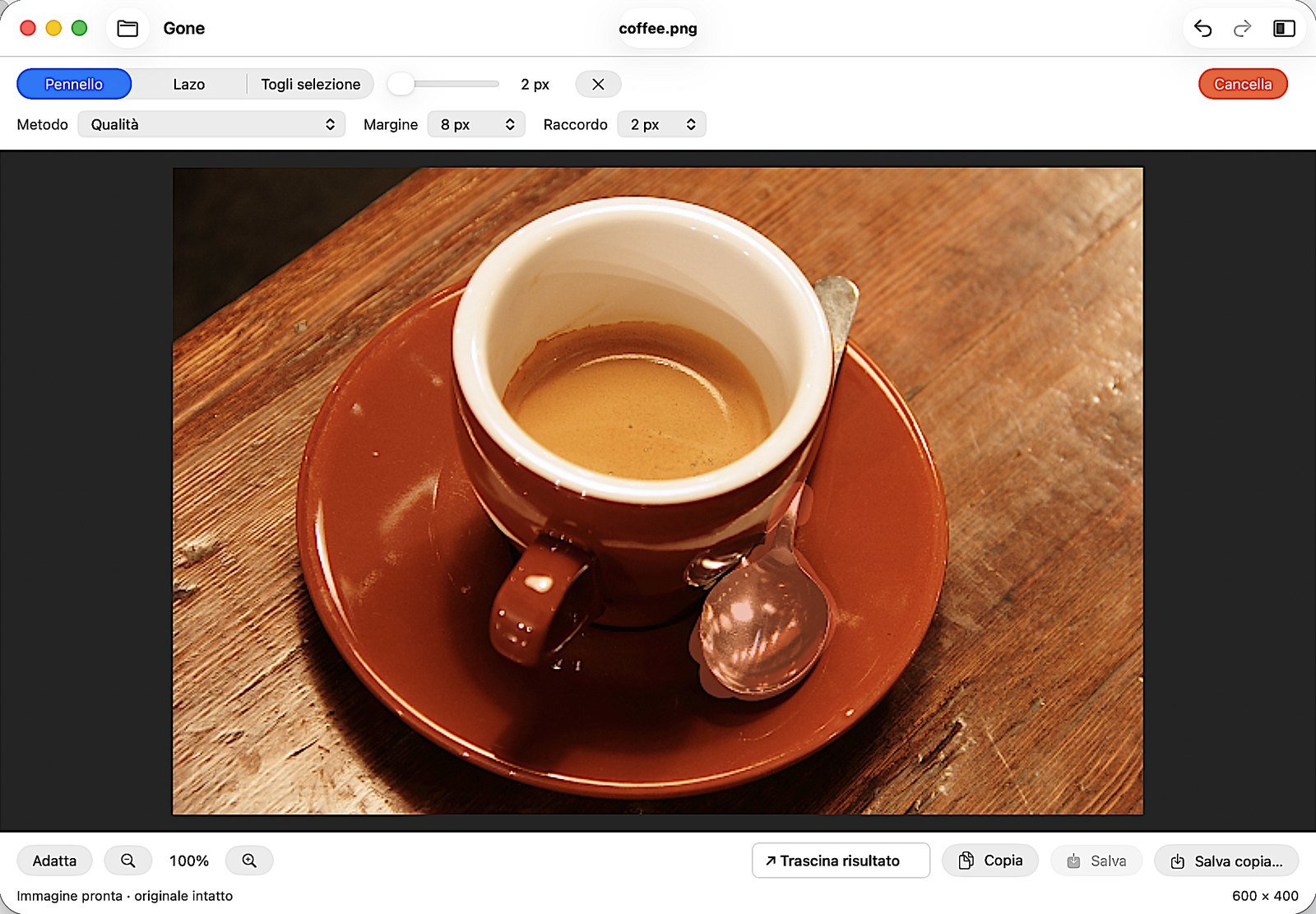
Select and press Erase
Select what you want to remove with the brush or the lasso, then press Erase.
-
03
Bring the photo back into your work
Compare the result with the original, adjust the selection and bring the photo straight into the app you're working in.
Why Gone
Simple to use, precise when needed.
It is designed for photographers, designers, communication professionals and anyone who needs a targeted fix during their work.
Completely free
No subscription, no account, no API key.
From the Dock to the result
One gesture to start and one to bring the photo back into your work.
Photos stay on your Mac
Local processing, even with the additional model.
Precise control
Selection, margin and blending always within reach.
Contained editing
The result is applied only to the selected area.
Modular installation
Base engine included, the larger one downloadable when needed.
Local processing
Photos stay on your Mac.
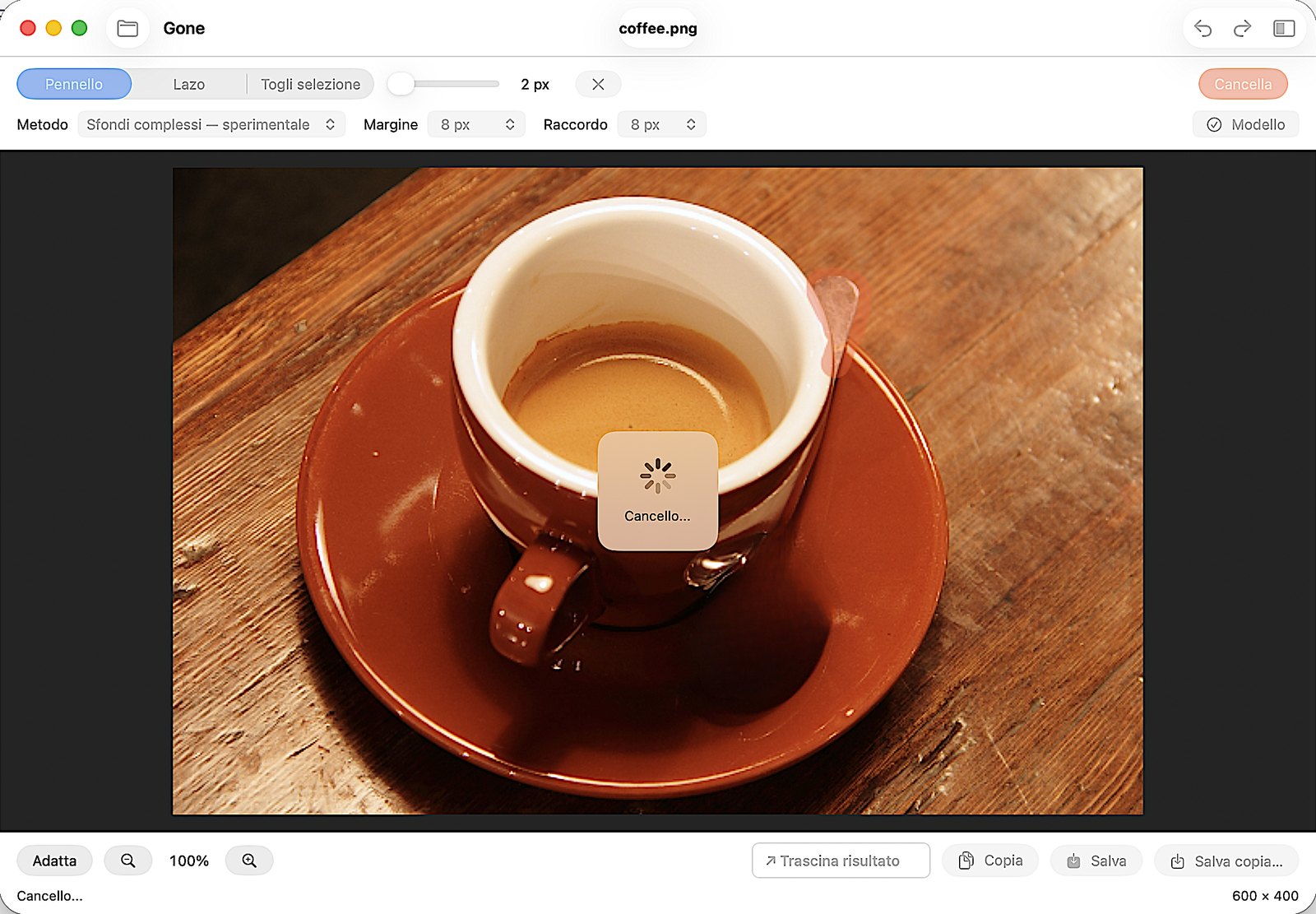
Processing happens on your Mac: photos stay on the device, with no upload, account or API key. You can save a copy or explicitly choose to overwrite the original file.
- LaMa model included, run with Core ML.
- Additional engine for complex backgrounds, downloadable on request: after installation it also works offline.
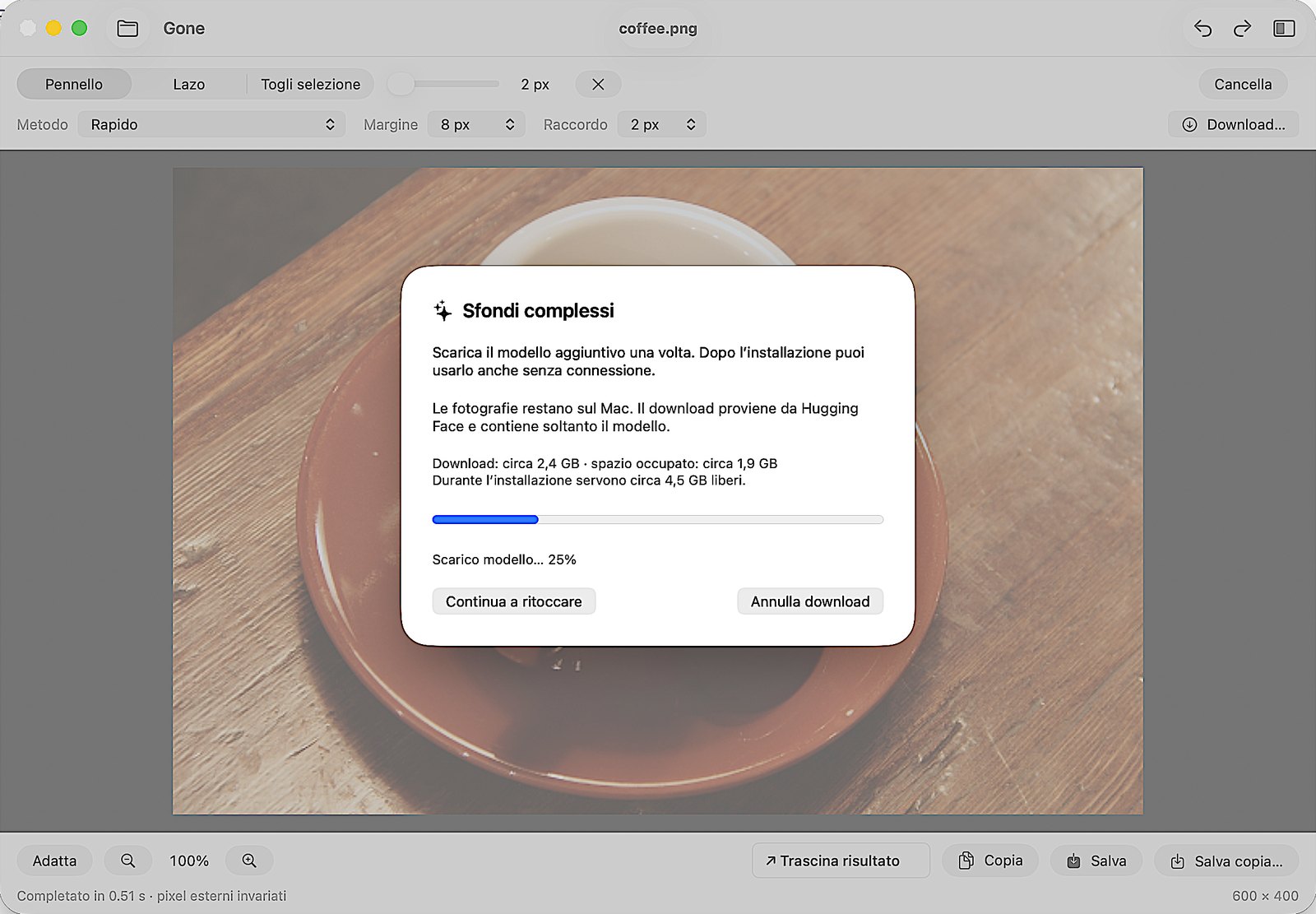
The additional model is downloaded only once: about 2.4 GB, taking up about 1.9 GB on the Mac.
Technical details
Native to the Mac, from opening to export.
Native interface
SwiftUI for the window and controls, AppKit for canvas, gestures and dragging.
Local AI with Core ML
LaMa model included; an additional engine for complex backgrounds can be downloaded on request and runs locally.
Precise selection
Brush, lasso, subtraction, visible margin and inner blending. Dedicated mode for text on uniform backgrounds.
Checking the result
Zoom, before/after comparison and Undo/Redo.
Image preservation
Handling of orientation, resolution and color profiles. Pixels outside the final selection remain identical in the raster before export.
JPEG/HEIC recompression can alter them.Immediate input and output
Dock, Share, paste, Copy, Save, Save a copy and dragging out the result.
Requirements
What you need.
- MacApple Silicon.
- SystemmacOS 15 or later.
- Photos8-bit SDR.
- PriceCompletely free.
- AccountNot required, no API key.
- Additional modelOptional. Download of about 2.4 GB; about 4.5 GB of free space is needed during installation.
- ConnectionOnly needed to download the additional model.
FAQ
Frequently asked questions
Yes, Gone is completely free. No account or API key is needed.
No. Processing happens on your Mac and photos stay on the device, even when you use the complex-backgrounds engine. The connection is only needed to download that engine, if you choose to install it.
No. Gone requires neither an account nor API keys.
Only if you explicitly choose to. You can save a copy, copy the result or drag it into the app you're working in, leaving the original untouched.
It is an additional model, larger than the included one, designed for complex backgrounds. It is downloaded once on request (about 2.4 GB) and then runs locally, even offline. In this version it is marked as experimental.
Yes. Besides people, objects and unwanted details, Gone has a dedicated mode for text on uniform backgrounds.
Yes: the result is applied only to the selected area and outside pixels remain identical before export. If you save as JPEG or HEIC, recompression can alter them.
The current version requires a Mac with Apple Silicon and macOS 15 or later, and works on 8-bit SDR photos.
Erase the extras, on your Mac.
Download it for free. For Macs with Apple Silicon and macOS 15 or later.
The Mac download link will be set up before publication.
More apps from Archetipi Digitali
 AIquoteYour Codex quota, at a glance.Discover AIquote
 ShakeLensAsk about what you see.Discover ShakeLens
 AutohotspotLike on iPhone, but on Android.Discover Autohotspot
 NoteNarrateListen to music. Discover the stories it tells.Discover NoteNarrate
 PodClearThe ad blocker for podcasts.Discover PodClear