Archetipi Digitali NoteNarrate

NoteNarrate

Listen to music. Discover the stories it tells.

NoteNarrate is a music app for Android and macOS that combines listening with discovering what songs mean. Press the light bulb and let it tell you about the track you're listening to.

Android · macOS · Open source, based on SimpMusic

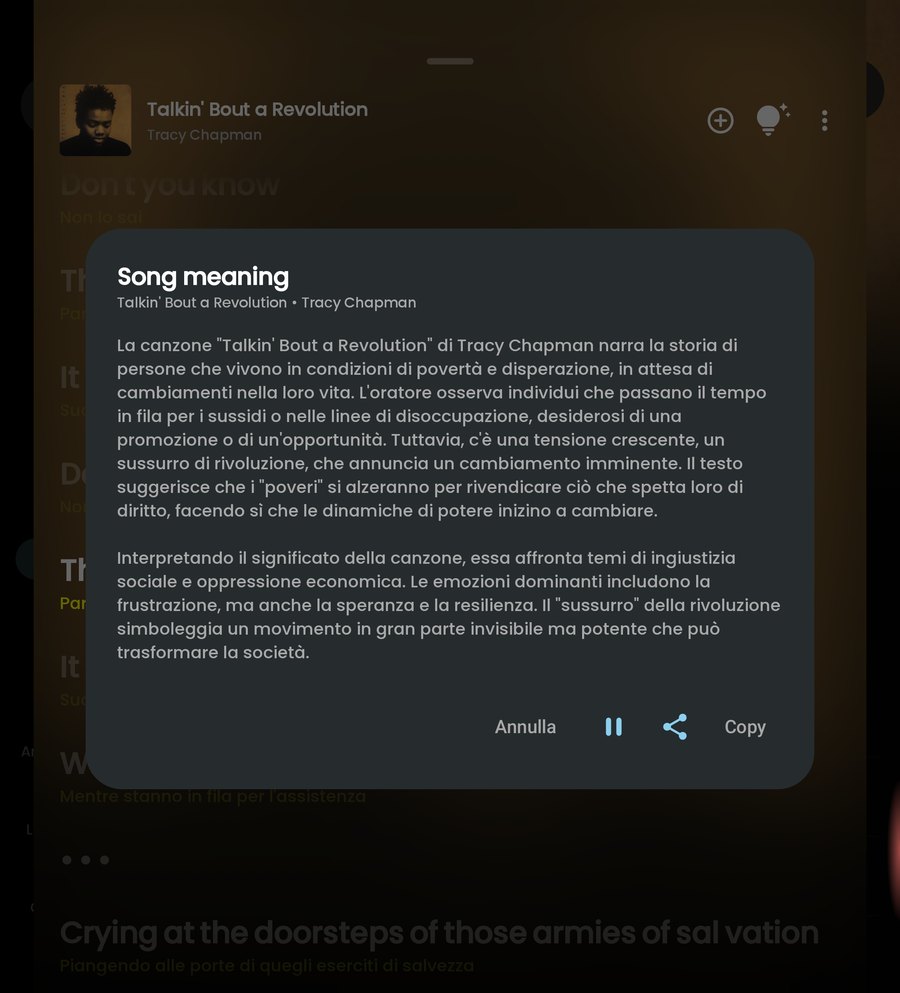
The video shows the NoteNarrate player: the light bulb is pressed, the app prepares the interpretation of the track and reads it aloud. The same text appears in the Song meaning window.

What it does

More than a playlist: a way to understand what you listen to.

  • All your music

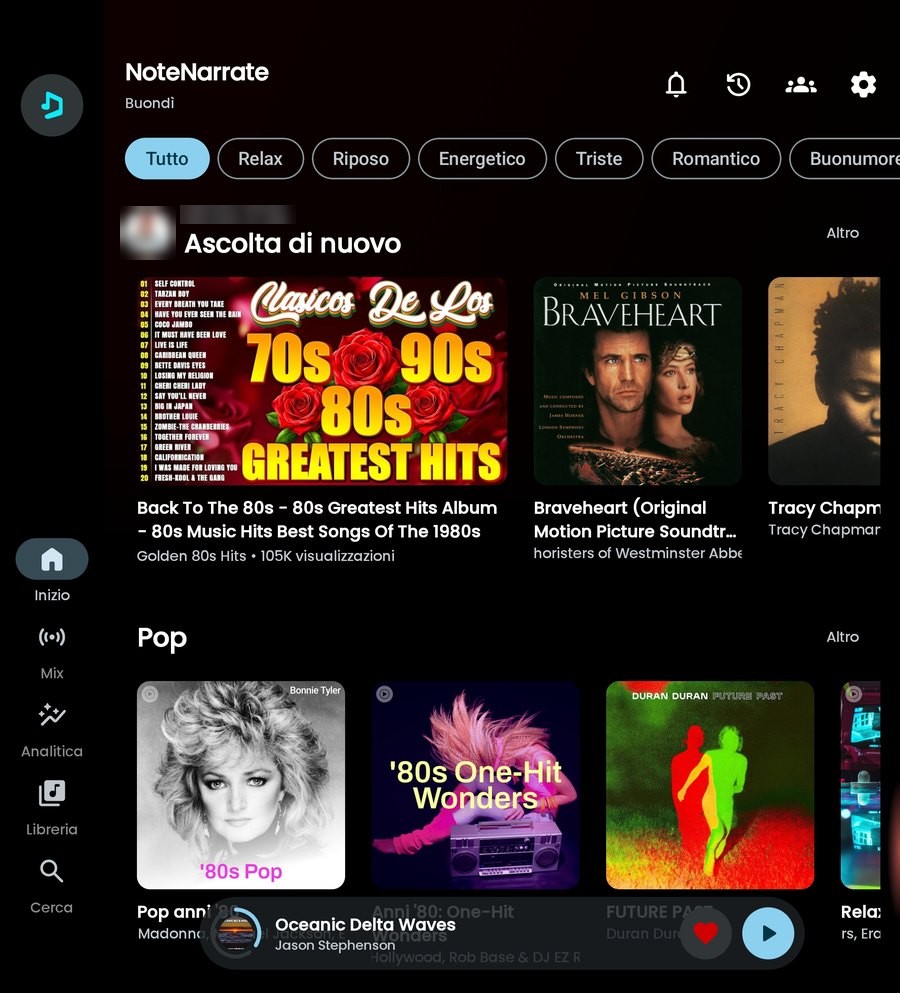
    Access YouTube Music content: search tracks, browse albums and playlists, find your library again.

  • The light bulb in the player

    One tap and the AI uses the available lyrics to tell you about the track and offer an interpretation in Italian.

  • To read or to listen to

    Read the explanation or have it narrated: the music pauses during the story and resumes at the end.

  • Expressive voices

    Choose among the AI voices of Google Gemini, OpenAI or Android's speech synthesis.

  • Copy and share

    Did an interpretation strike you? Copy it or send it to whoever is listening with you.

  • Your API keys

    Enter your keys in the settings. Any costs of the AI services depend on the provider you choose.

The app

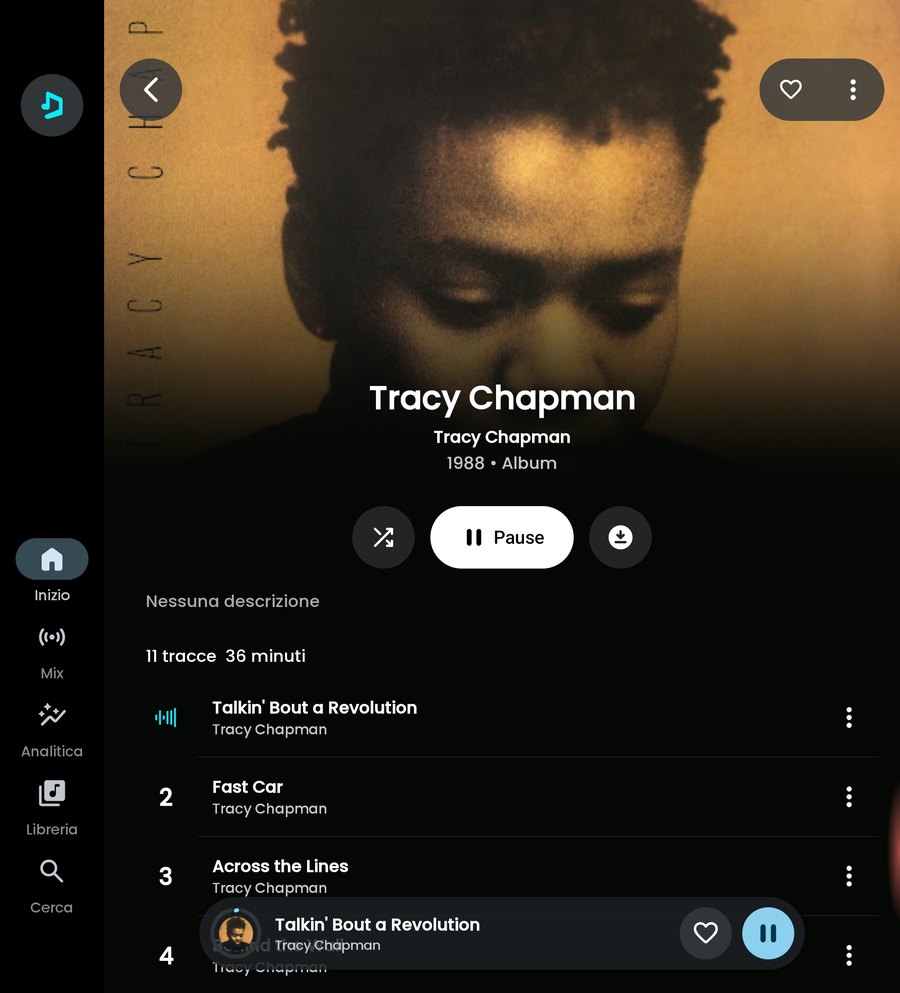
Listening and storytelling, on the same screen.

How it works

Three steps, from the music to its story.

  1. 01

    Choose a song

    Search for a track or open it from an album, a playlist or your library.

  2. 02

    Press the light bulb

    In the player, the light bulb asks the AI to read the available lyrics and prepare an interpretation in Italian.

  3. 03

    Listen to its story

    Read the explanation or listen to it: the music stops during the story and resumes when it ends.

Expressive voices

Every story with the right voice.

With Google Gemini's AI voices you choose the style of the narration. Alternatively you can use OpenAI's voices or, on Android, the phone's speech synthesis.

  • DJRhythm and sparkle, like a radio host.
  • EmpatheticA warm, close tone, for the most intimate songs.
  • ProfessionalClear and measured, to get to the point.
  • Google GeminiAI voices with styles: DJ, Empathetic, Professional and others.
  • OpenAIAlternative AI voices for narration.
  • Android speech synthesis Android onlyThe phone's native voice.

Android and Mac

On your phone, in the car and at your desk.

Android

All the features, plus those designed for the phone.

  • Listening, light bulb, interpretation to read or listen to, copy and share.
  • Google Gemini and OpenAI voices.
  • Android AutoAndroid only
    You call up the spoken interpretation from the player; the text is not shown while driving.
  • Android speech synthesisAndroid only
  • Requires Android 8.0 or later and an ARM64 processor.

macOS

Music and its stories while you work.

  • Listening, search, albums, playlists and library.
  • Light bulb and interpretation to read or listen to.
  • Google Gemini AI voices, with your Gemini key saved in the Mac's Keychain.
  • Copy and share the interpretation.
  • Requires macOS 14 or later. Universal build: Apple silicon and Intel.

Good to know

Interpretations, not truths.

One possible reading

Interpretations are generated by the AI from the available lyrics: they offer one possible reading of the song, not the author's intentions. Take them as a starting point to listen better.

Your keys, your costs

NoteNarrate uses the API keys you enter in the settings. Any costs of the AI services depend on the chosen provider and your plan.

The next song has a story to tell you.

Listen to it. Then press the light bulb.