
Vocalia Podcast · for iPhone and iPad
More stories. Your pace.
Discover new voices, choose your next episode and make the queue your own. Vocalia fits your day with an intuitive player, offline downloads and the controls you need.
For iPhone and iPad.In private betaComing soon to the App Store
Features
A complete player, built around how you listen.
Curious about one episode? Start there.
Search Apple Podcasts and browse descriptions and episodes inside the app. Add a single episode to your queue, or follow the whole show.
A queue that follows your choices.
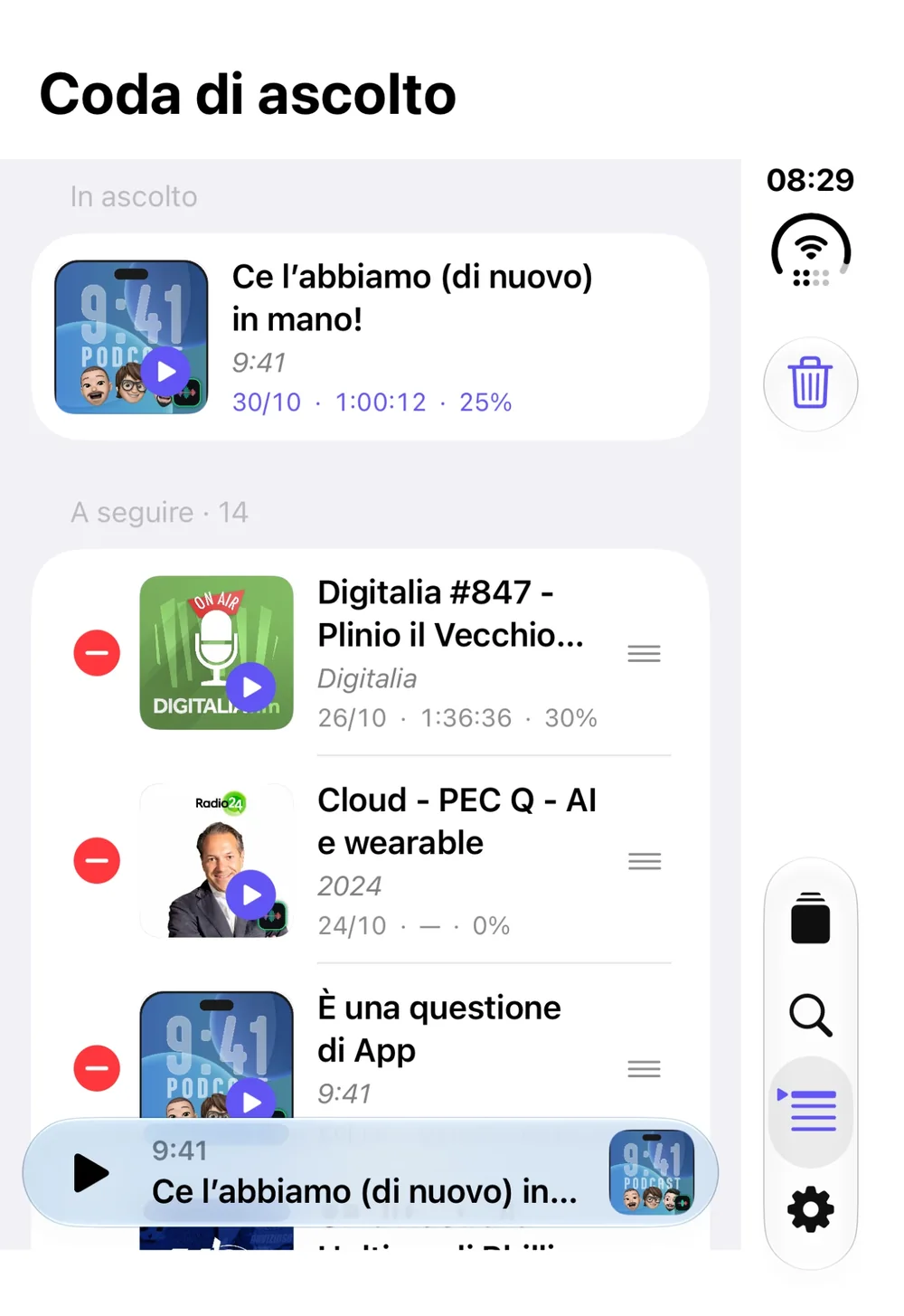
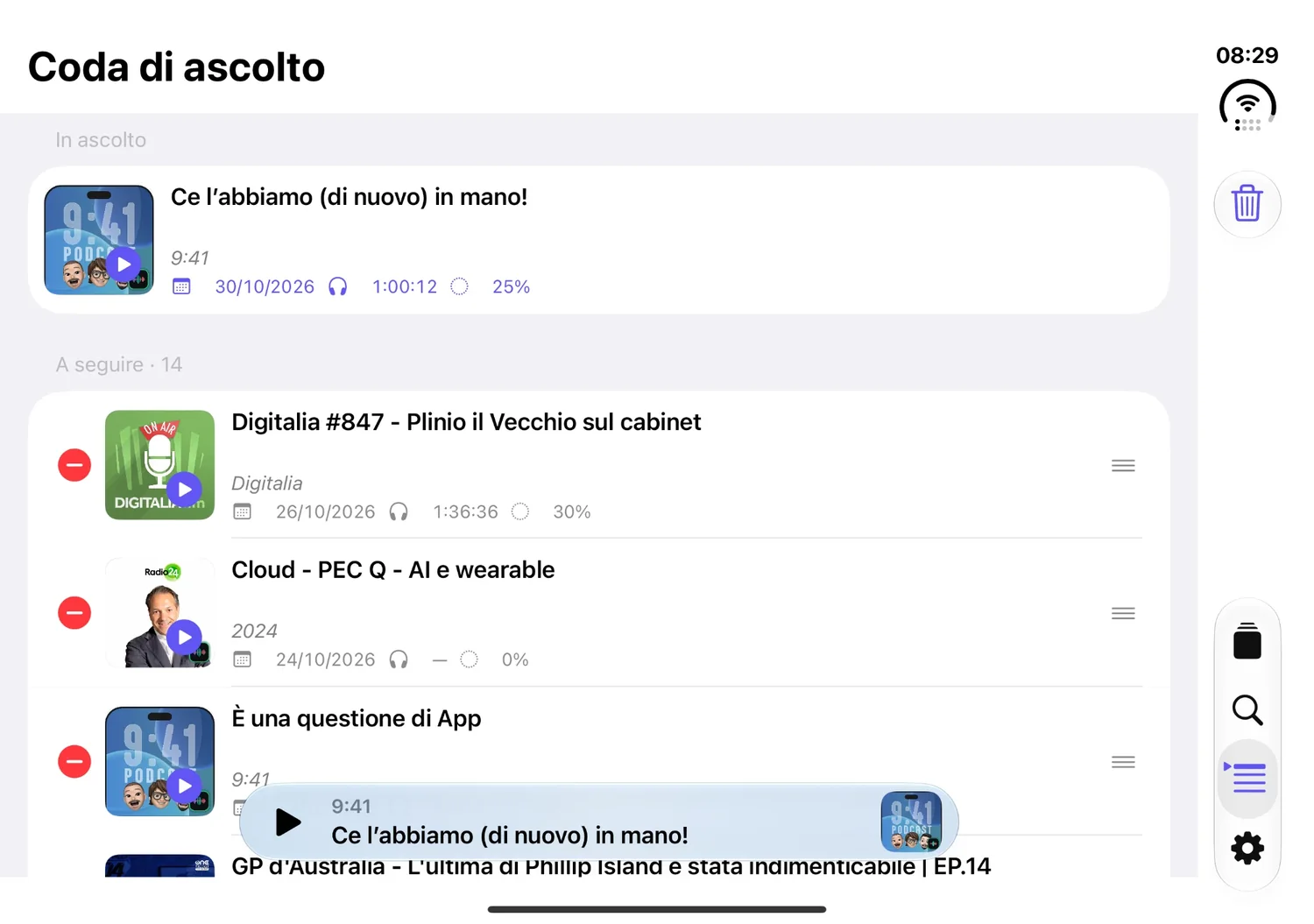
Choose what comes next, drag episodes into order and switch shows whenever you like. When you start another episode, the one you paused stays next in line, with your place saved.
Take your stories with you.
Download an episode and listen without a connection. You can also enable latest-episode downloads for shows you follow and remove a downloaded file when you finish listening.
Discover and library
Find your next voice. Keep the ones you love in order.
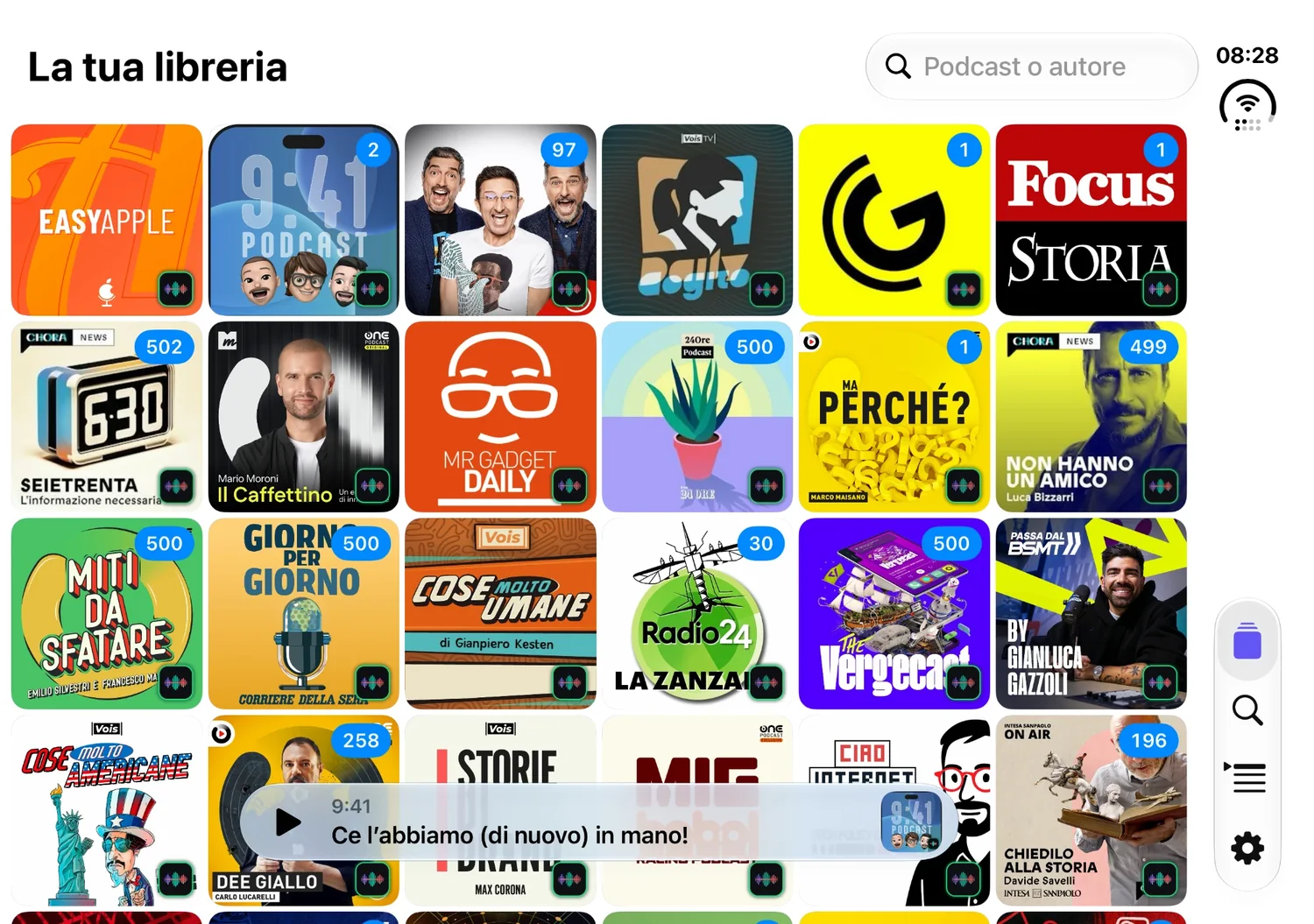
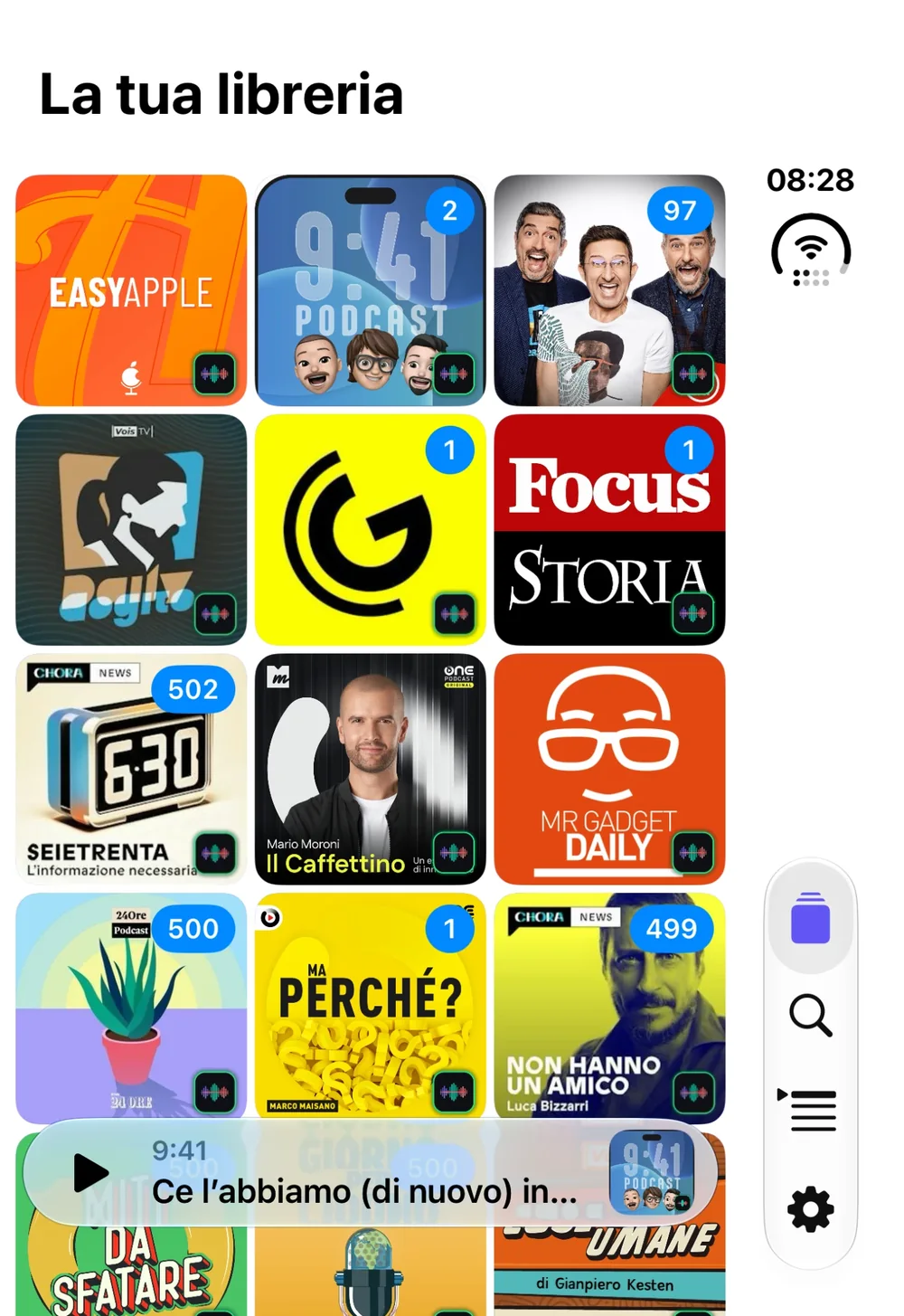
Search Apple Podcasts by title, author or topic: the result opens inside the app, with description and episodes. Following the show is your call. Artwork, unplayed badges, sorting and played-episode filters help you spot your podcasts at a glance.
- A library of artwork, with a badge for unplayed episodes
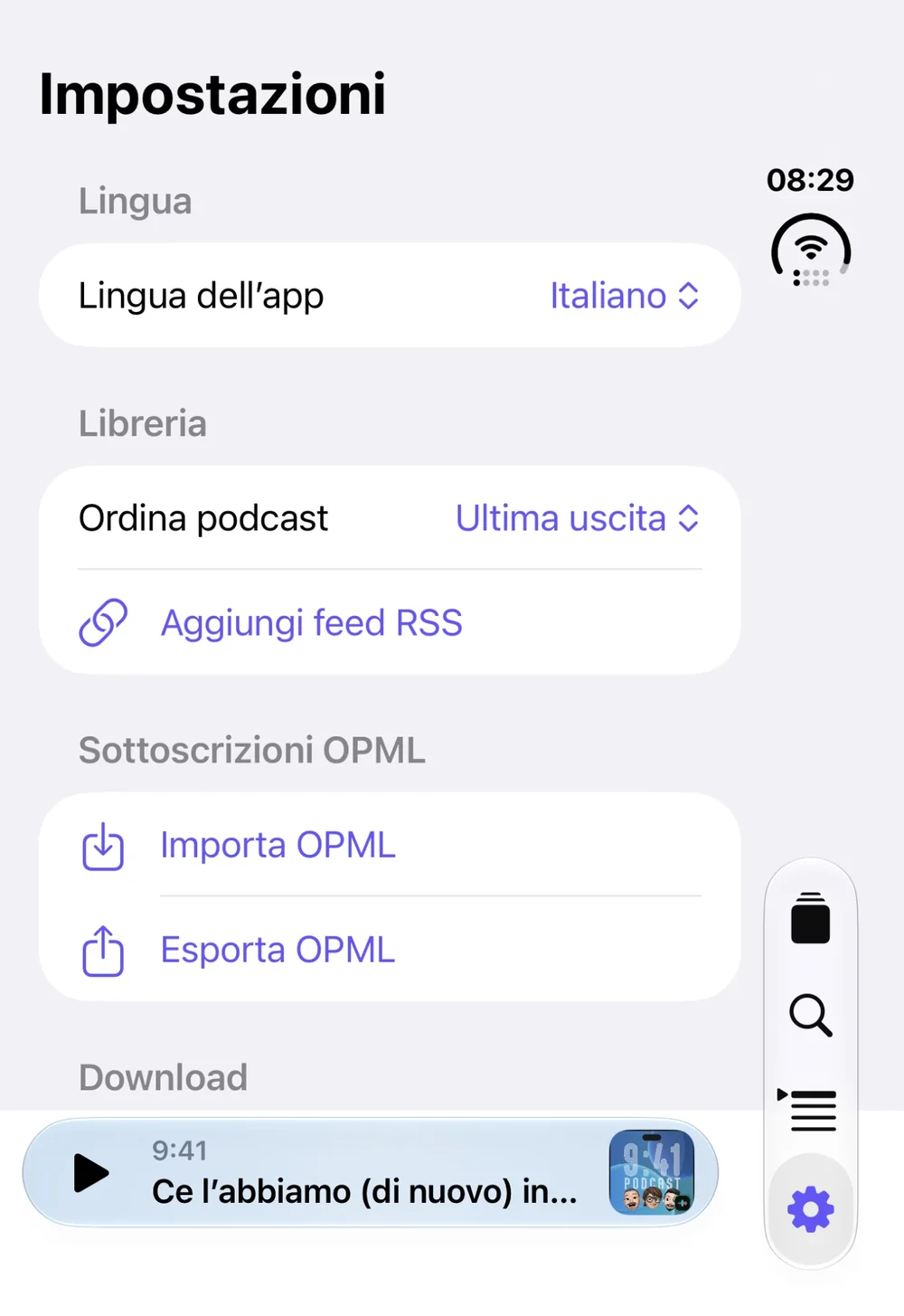
- Sort alphabetically or by latest release
- Episodes by date, title search and a filter to hide the ones you’ve already played
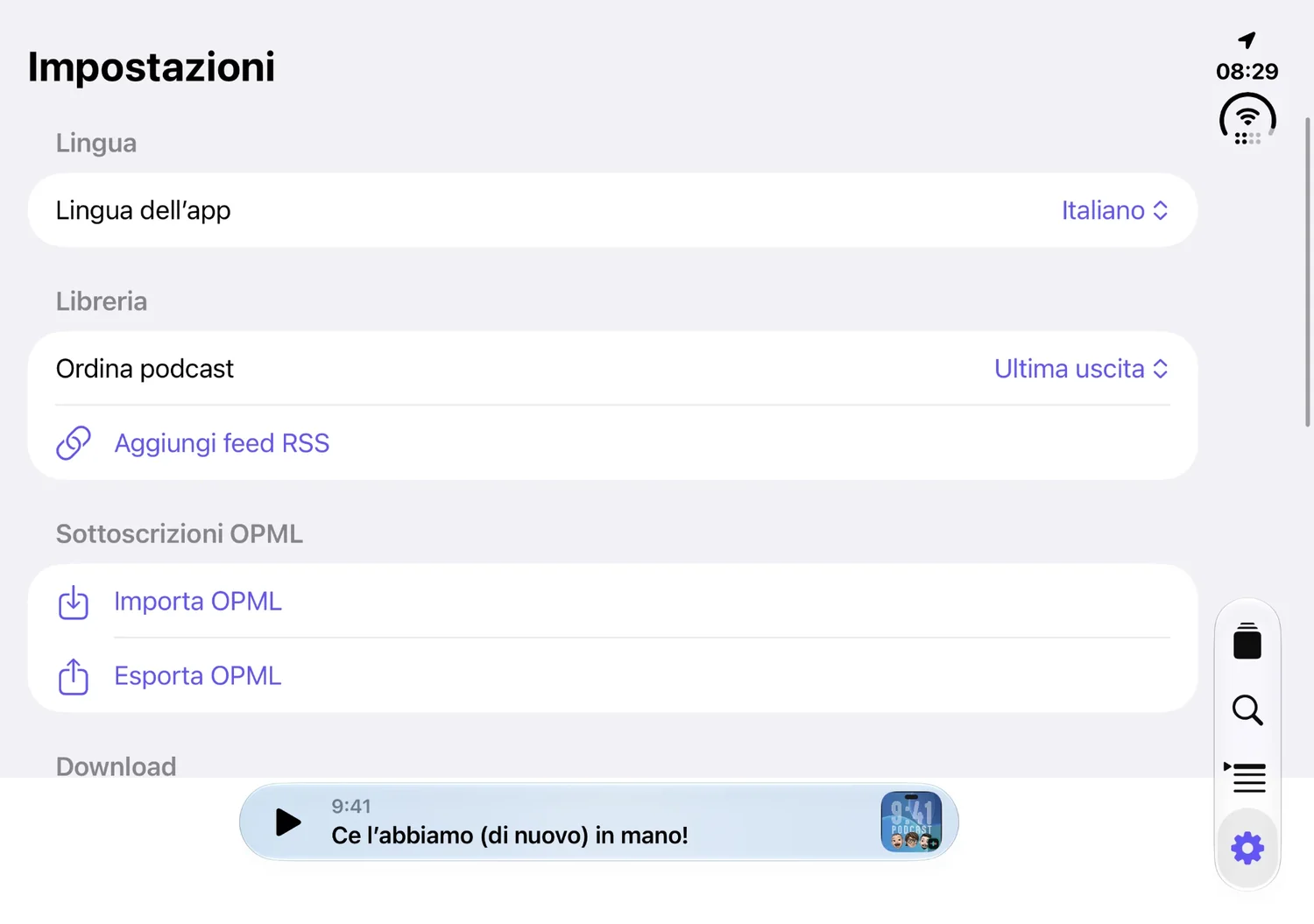
- Already have subscriptions? Bring them with an OPML file or add an RSS or Atom feed, without creating a new account. And export everything to OPML whenever you like

Queue and player
Keep the controls within reach.
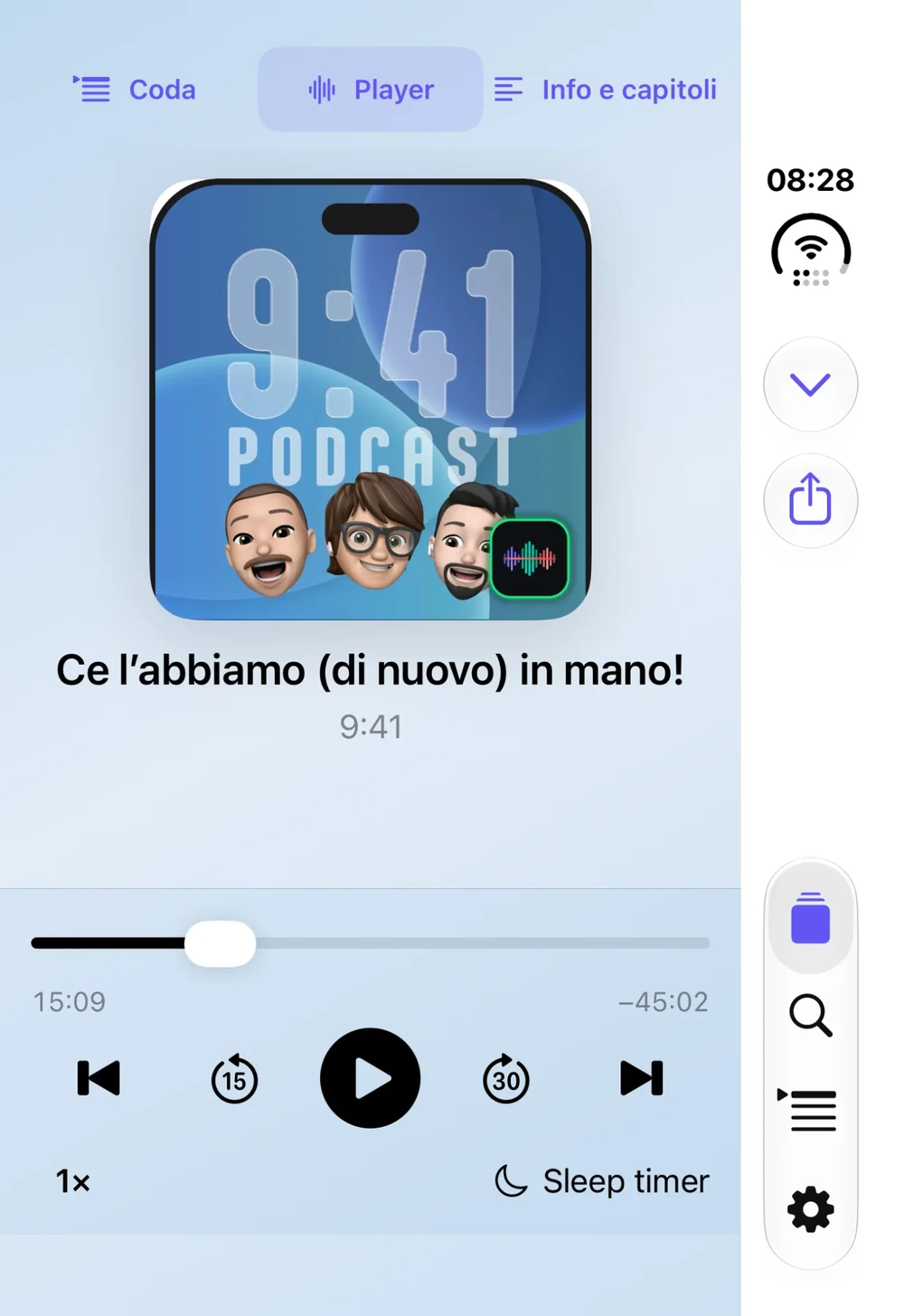
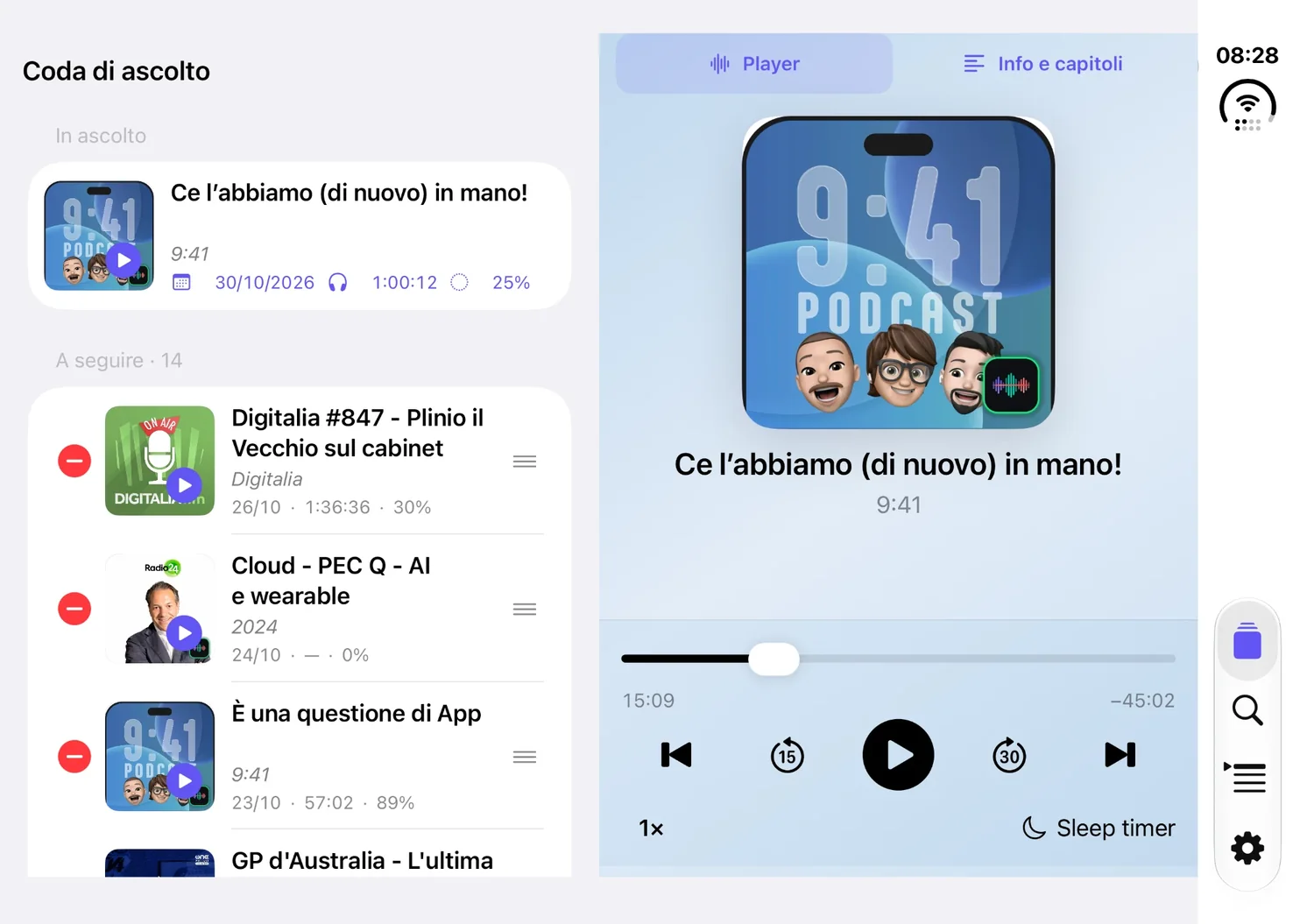
Add an episode to your queue without following the whole show. Drag to change the order; if you start another episode, the one you paused stays next in line, with your place saved. Play, pause, speed and quick skips stay available while you browse the queue or read the show notes.
- Add to the end of the queue or choose Play next; remove or clear what you no longer need
- Speed from 0.75× to 2×, skip back 15 seconds or forward 30
- Queue, player and details on side-by-side pages: swipe between them
- When a show provides chapters, jump between them and see which one is playing
iPhone Duo
Made for iPhone Duo. Closed and open.
Vocalia adapts to both displays. Closed, everything is within thumb’s reach; open, the same interface opens out to show more, with player controls across the full width.
Offline
Take your stories with you.
Download an episode and listen without a connection: Vocalia automatically plays the copy saved on your device.
- Download single episodes, with progress and the option to cancel
- An option to download the latest episode of the shows you follow
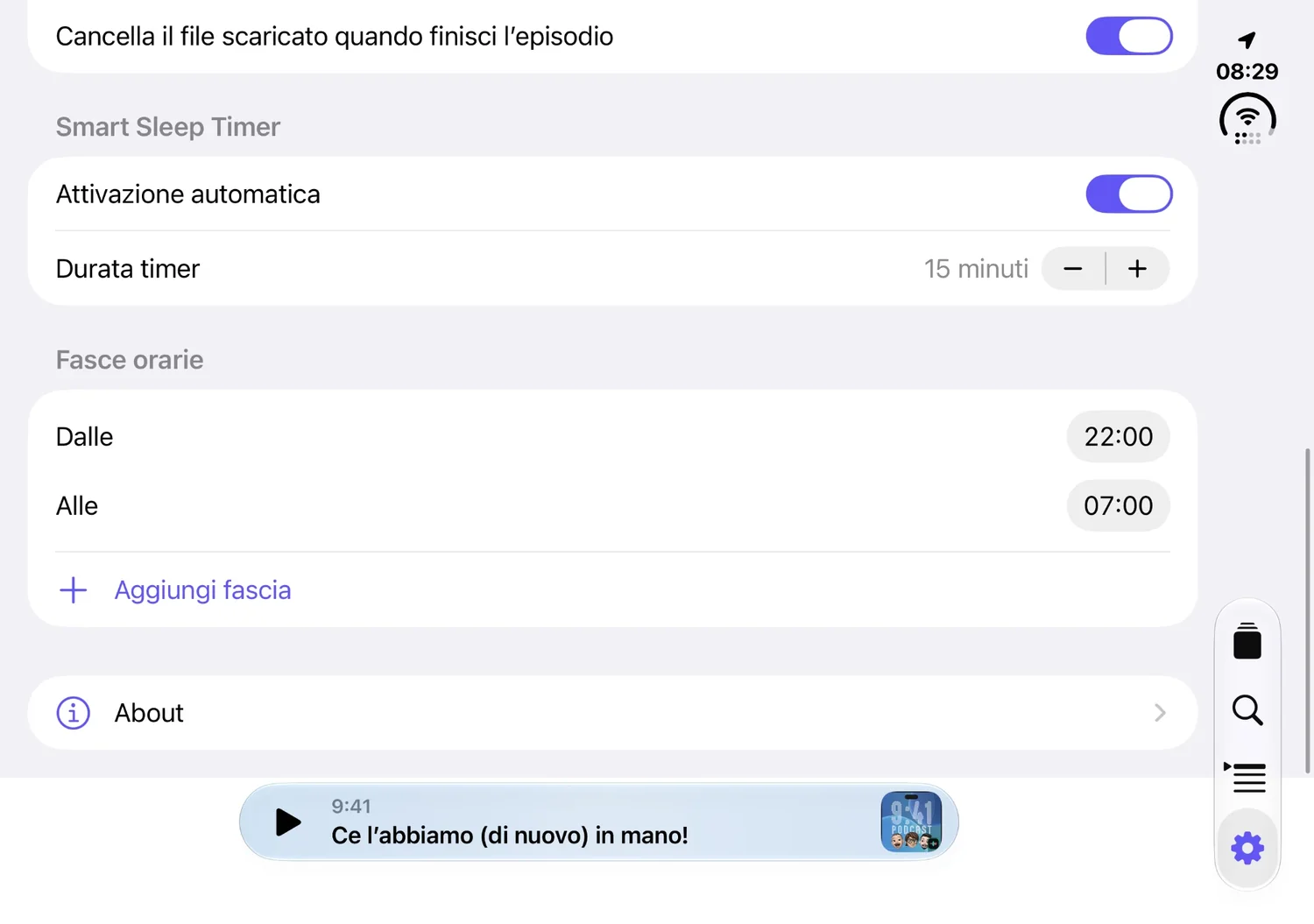
- An option to delete the file once the episode has really finished
Automatic latest-episode downloads depend on when iOS lets Vocalia work in the background: timing isn’t guaranteed.
Smart Sleep Timer
The timer that remembers for you.
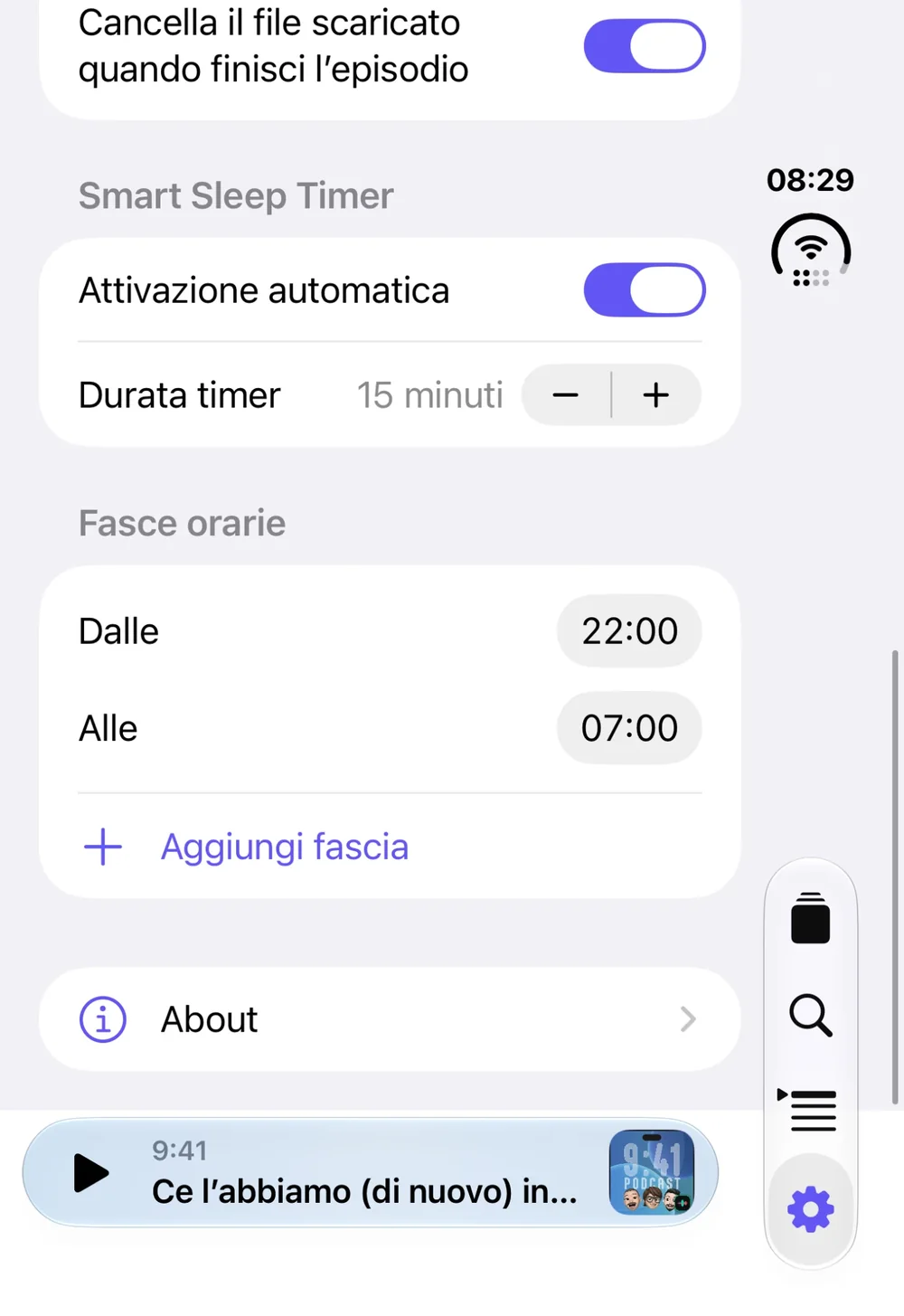
Choose your time windows and listening duration. Each new Play within an active window starts a full timer. Vocalia pauses when time is up and saves your place. Press Play to continue, including from your headphones.
- One or more windows every day, including ones that cross midnight
- From 1 to 180 minutes (15 by default), counted on the time you actually listen, even at 2× speed
- After a manual pause, your next Play starts a fresh, full timer
- It never restarts by itself: audio resumes only when you press Play
- Need a quick timer? From the player pick 5, 10, 15, 30, 45 or 60 minutes, or the end of the episode
Apple controls
In the car. On the sofa. By your bedside.
Control your listening through CarPlay, Bluetooth headphones, the Lock Screen, or a Home and StandBy widget. The same listening session, with your queue.
CarPlay
Library, queue, Now Playing and chapters on your car display, with the same player, progress and timer as your iPhone. On compatible CarPlay systems.
Headphones and Lock Screen
Play, pause and skips from Bluetooth headphones and the Lock Screen controls.
Home and StandBy widget
A small widget with the current show, episode and chapter, Play/Pause and 15- and 30-second skips.
Privacy and simplicity
Your library stays on your device.
Your queue, preferences and listening progress are stored locally, with no additional Vocalia account. Search and playback connect directly to podcast catalogs and providers.
- Library, queue, preferences, progress and downloads are kept on your device
- No Vocalia account to create
- Search, feeds, images and audio come straight from Apple and the podcasts’ hosts, which handle data under their own rules
- Vocalia doesn’t alter episodes: any sponsorships remain those of their publishers
FAQ
Frequently asked questions
Yes, once the episode has been downloaded. Discovering new shows and downloading new files require a connection.
No. Pick an episode from its show page and add it to your queue without following the whole show.
Yes. Import your subscriptions from an OPML file or add a podcast’s RSS feed, and export your library to OPML whenever you like, to back it up or move to another app.
Yes, within an enabled automatic time window. Playback resumes from your saved place with a fresh full timer.
That depends on the show. Vocalia displays chapters supplied by the feed in supported formats.
Yes: Vocalia is optimized for iPhone Duo and adapts its interface to both the outer display, with the phone closed, and the inner display, with it open.
Italian and English, selectable in Settings.
Vocalia is currently in private beta. Public availability will be announced here when confirmed.
Availability
Your voices. Your pace.
Vocalia Podcast for iPhone and iPad, on iOS 17 or later. It is currently in private beta: public availability will be announced here once confirmed.
In private betaComing soon to the App Store
In Italian and English, selectable in the app’s settings.